Agent Config
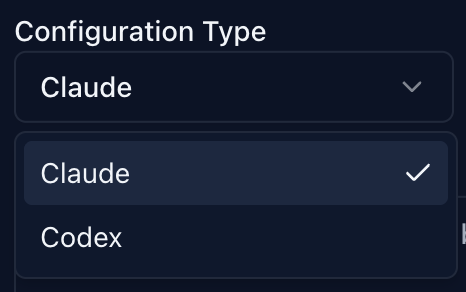
Agent Config is Lody's abstraction for different coding CLIs. Each config consists of a CLI type (Claude Code / Codex) plus environment variables.
By default, Lody uses the Claude Code / Codex subscription login from the machine running the Lody CLI. You can also configure non-subscription setups through environment variables.
For non-subscription logins, go to Settings -> AI Agent Configuration, click the plus icon to create a new config, and choose Claude for Claude-compatible endpoints.
Below are official and third-party API key setup examples. Copy them into environment variables and replace the placeholders with your real API keys.
Claude
bash
ANTHROPIC_AUTH_TOKEN=${CLAUDE_CODE_API_KEY}DeepSeek
bash
ANTHROPIC_BASE_URL=https://api.deepseek.com/anthropic
ANTHROPIC_AUTH_TOKEN=${DEEPSEEK_API_KEY}
API_TIMEOUT_MS=600000
ANTHROPIC_MODEL=deepseek-chat
ANTHROPIC_SMALL_FAST_MODEL=deepseek-chat
CLAUDE_CODE_DISABLE_NONESSENTIAL_TRAFFIC=1Kimi
bash
ANTHROPIC_BASE_URL=https://api.kimi.com/coding/
ANTHROPIC_API_KEY=sk-kimi-xxxxxxxxxxxxxxxxxxxxxxxxxx # Generated API keyMiniMax
bash
ANTHROPIC_BASE_URL=https://api.minimax.io/anthropic
ANTHROPIC_API_KEY=<MINIMAX_API_KEY>
API_TIMEOUT_MS=3000000
CLAUDE_CODE_DISABLE_NONESSENTIAL_TRAFFIC=1
ANTHROPIC_MODEL=MiniMax-M2.5
ANTHROPIC_SMALL_FAST_MODEL=MiniMax-M2.5
ANTHROPIC_DEFAULT_SONNET_MODEL=MiniMax-M2.5
ANTHROPIC_DEFAULT_OPUS_MODEL=MiniMax-M2.5
ANTHROPIC_DEFAULT_HAIKU_MODEL=MiniMax-M2.5Qwen
bash
ANTHROPIC_BASE_URL=https://dashscope.aliyuncs.com/apps/anthropic
ANTHROPIC_API_KEY=YOUR_DASHSCOPE_API_KEY  # Replace with your DashScope API key
ANTHROPIC_MODEL=qwen3.5-plus # You can switch to any supported model.