
GitHub Integration
To keep workflows smooth across desktop and mobile, Lody treats GitHub integration as a core part of the product. After installing the Lody GitHub App for your repositories, Lody can clone your projects from any device, fetch Issue and PR context, and provide a more streamlined workflow.
Setup
Open Settings -> GitHub -> Manage to jump to the GitHub App installation page. Select the repositories you want Lody to access, then return to Lody. The selected repositories appear under Repositories available to add to workspace. Add the ones you need to the current workspace.
Lody supports sharing one repository across multiple workspaces. In other workspaces, repositories with an existing GitHub App installation can be selected and added directly.
Select a Repository for a Conversation
On the home page, use the repository selector at the top-left of the composer to choose a repository that was added to the workspace. Lody then lists branches in that repository so you can choose where to start.
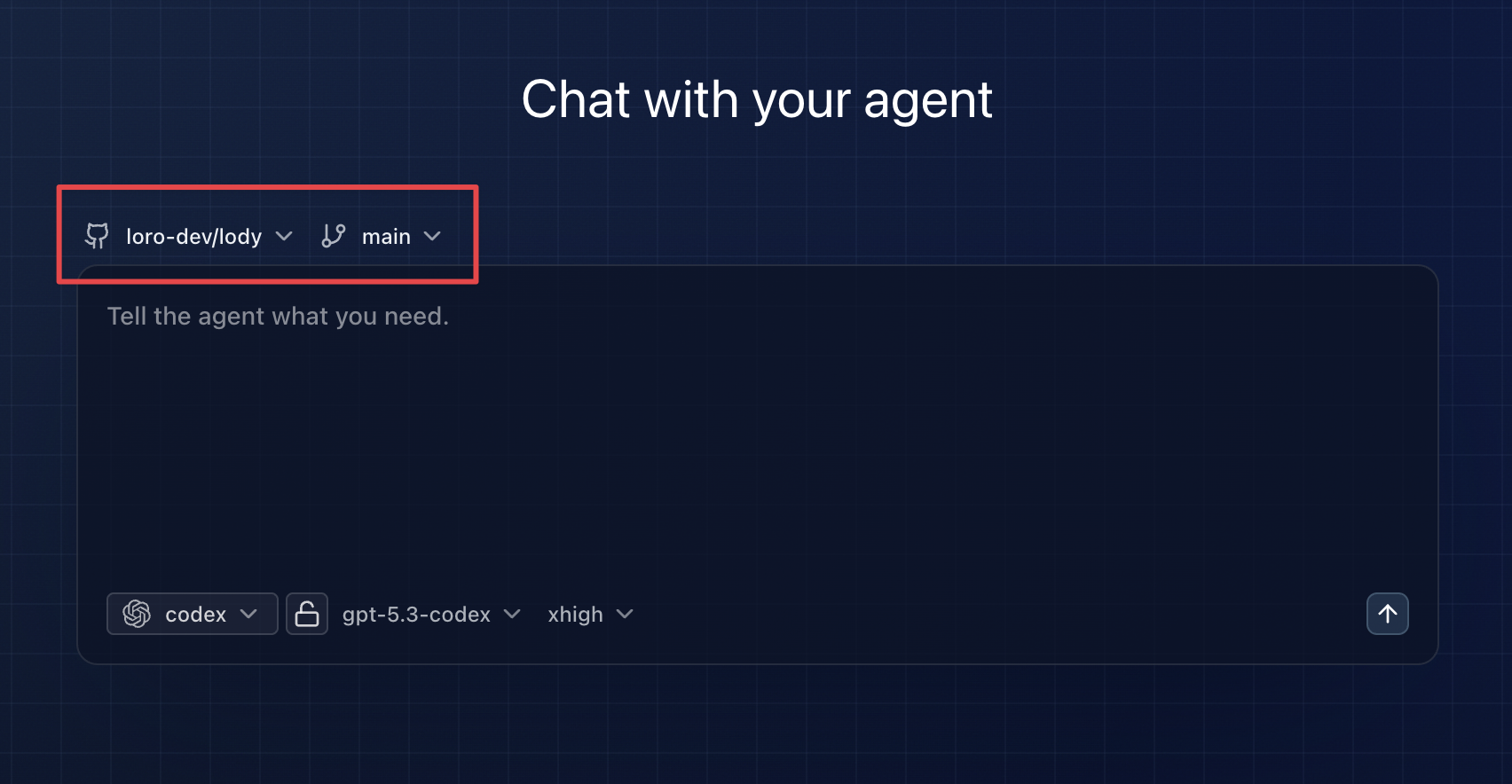
After you create a conversation, Lody clones and initializes the repository on the CLI machine, then creates a new WorkTree from the branch you selected. Each conversation runs on its own branch and does not affect other conversations.
Start from an Issue or Pull Request
After selecting a repository on the home page, type # to mention Issues and Pull Requests in the current repository.
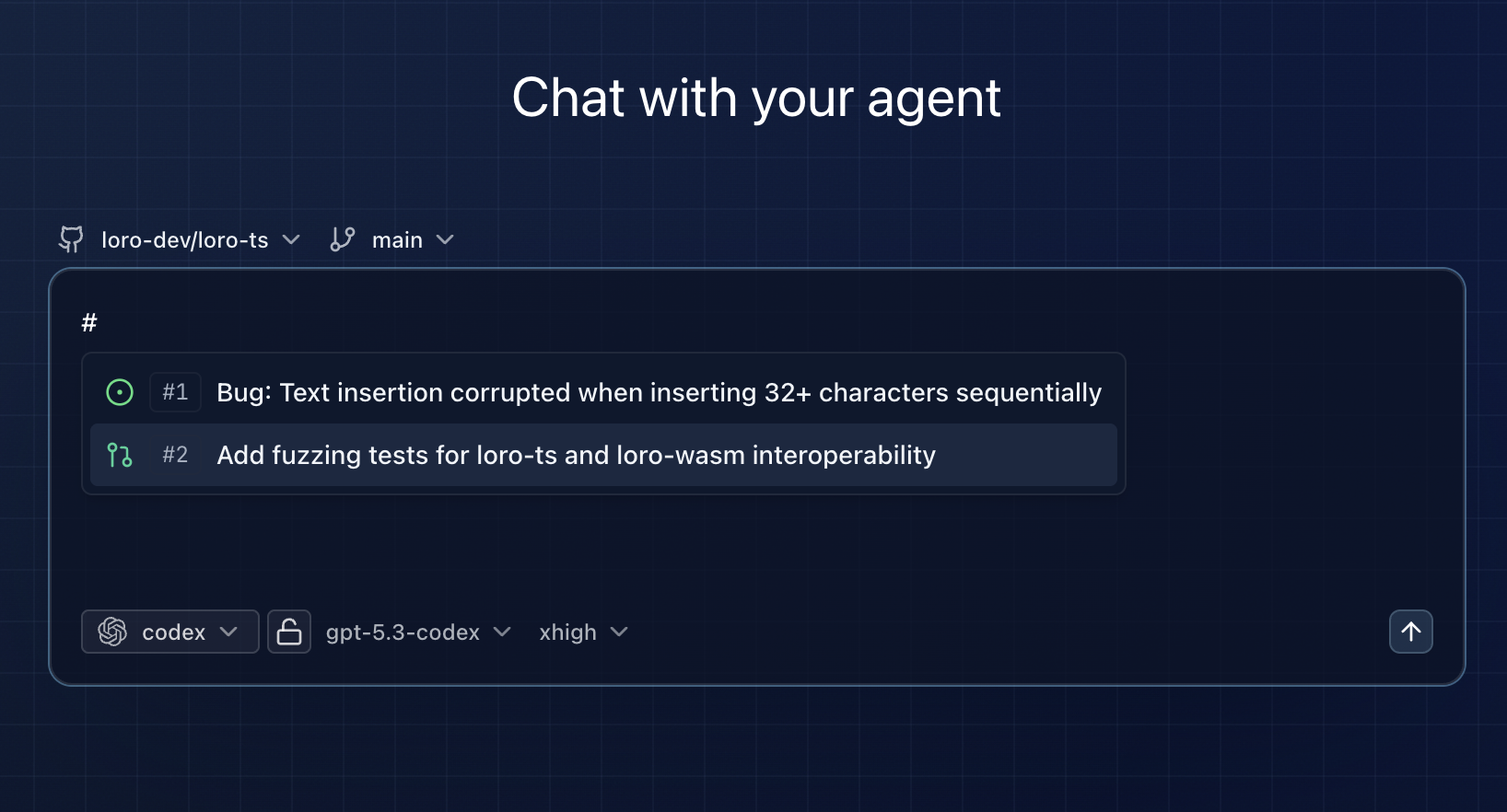
Use the up and down arrow keys to select an item, then press Enter to confirm. The selected Issue or PR context is injected into the prompt, so the agent can handle tasks like Fix #12 or Review the implementation in #56.
PR Status and CI Sync
When a session is linked to a GitHub PR, Lody shows the PR number, open/closed/merged state, and CI status in the session UI. Running, passing, and failing checks update in Lody, so you do not need to keep switching back to GitHub just to see whether the branch is ready.
If you keep working on a branch that already has a PR, Lody also tries to detect that PR and attach it to the session automatically.
Commit and Push for PR Sessions
For GitHub-backed sessions that are linked to a PR, Lody checks the workspace after each agent turn. If there are uncommitted changes or local commits that have not been pushed yet, Lody can ask the agent to commit and push them to the PR branch.
You can still trigger Commit & Push manually from the session UI, or use Fix PR Comments when review comments need another pass.
Review Comment Sync
In Diff Comments, PR-linked sessions can publish new line comments back to GitHub by enabling Sync to GitHub.
Existing GitHub PR Review line comments are also shown in Lody diffs, and replies from Lody are posted back to GitHub. This keeps review, code inspection, and follow-up agent work in one place.