
Slash Commands
Type / at the start of the chat input to open a menu of commands the current agent exposes — for example, /review, /compact, or /undo when the connected agent supports them.
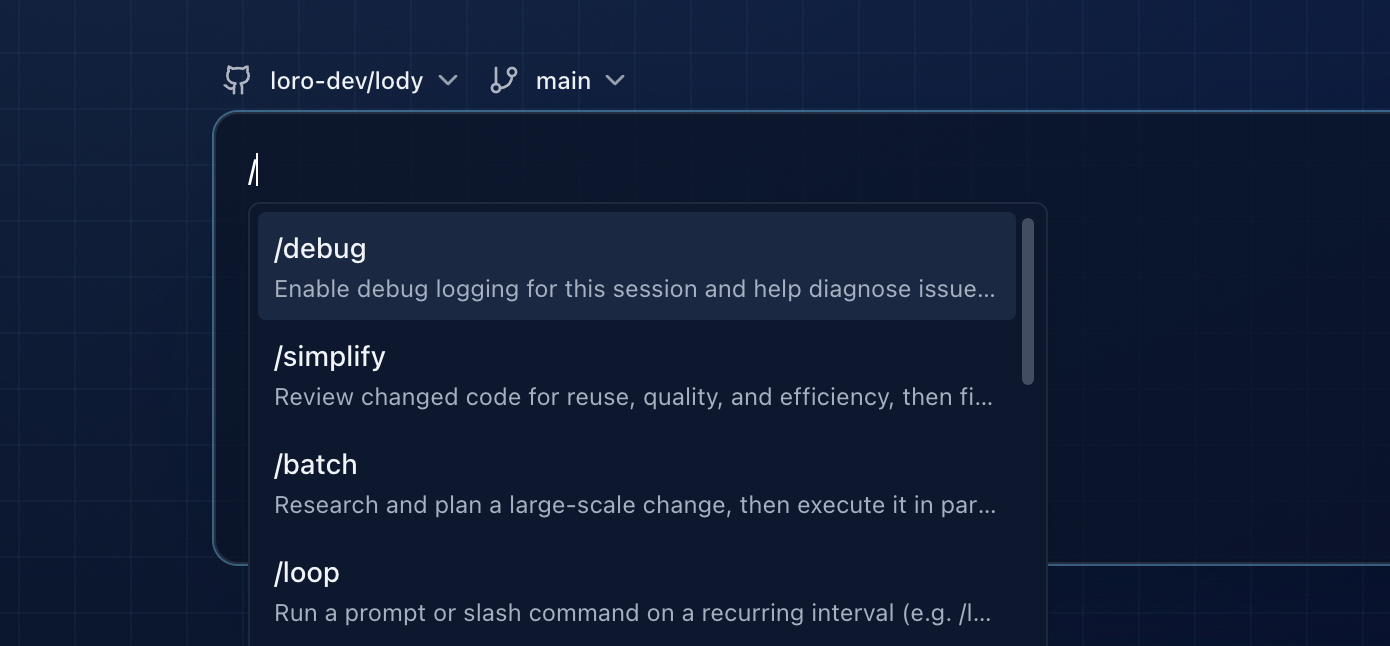
Slash commands are provided by the agent, not by Lody. Each Agent Config advertises its own list during capability discovery, so the available commands depend on the CLI type (Claude Code, Codex, Kimi, OpenCode, or any ACP registry runtime) and the version installed on the machine.
Open the menu
- Type
/as the first character of a new turn. - Lody fuzzy-matches the remainder of what you type against the agent's command list.
- Press
↑/↓to move between entries,Home/Endto jump to the first or last entry. - Press
Enterto insert the highlighted command, orTab/Escapeto close without inserting.
If nothing matches, the menu collapses and the text stays in the input as normal content.
What the commands do
Because commands come from the agent, their behavior is defined by that agent's documentation. Common examples exposed by popular agents include:
| Command | Typical behavior |
|---|---|
/review | Ask the agent to review the current diff or recent changes |
/compact | Summarize and compact the conversation to free up context |
/undo | Roll back the latest agent-produced change |
Check the agent's own docs for the full list and exact semantics.
Refresh the command list
The list is cached per agent config on each machine. After installing a new CLI version or changing the environment for an Agent Config, refresh the cache so new commands show up:
- From the web UI: open Agent Config, choose the config, and refresh options.
- From the CLI: run
lody agent-config refresh-capabilities <idOrName>on the machine you use.
See Agent Config and CLI Commands for details.